
What Is a Raspberry Pi Smart Mirror Project (And Why It’s Worth Building)
A raspberry pi smart mirror project turns an ordinary mirror into a smart display that shows useful information — like the time, weather, calendar, and news — while still reflecting your face like a normal mirror.
Here’s a quick overview of what it involves:
- What it is: A monitor mounted behind a two-way mirror, powered by a Raspberry Pi mini-computer
- Core software: MagicMirror² — a free, open-source platform with hundreds of add-on modules
- Key hardware: Raspberry Pi (3A+ or 4), a monitor (300+ nits brightness), a two-way mirror or film, and a microSD card (32GB+)
- Skill level: Beginner-friendly, with some basic terminal commands and optional light woodworking
- Cost range: Roughly $100–$500 depending on materials and mirror choice
Think about your morning routine. You brush your teeth, check your phone for the weather, glance at your calendar, and wonder where the time went. A smart mirror combines all of that into one glance — no phone needed.
It sounds like something out of a sci-fi movie. But it’s a surprisingly achievable DIY project, even without deep technical expertise.
The secret is a piece of two-way glass (or acrylic, or mirror film). When the room is bright and the screen behind it is off, it looks like a regular mirror. When the screen turns on, the text and graphics shine through — and you still see your reflection.
The Raspberry Pi acts as the brain. It runs the MagicMirror² software, which was voted #1 in the MagPi Top 50 by the Raspberry Pi community — a strong sign of how popular and well-supported this project has become.

Understanding the Raspberry Pi Smart Mirror Project
When we talk about a raspberry pi smart mirror project, we are diving into one of the most beloved “maker” projects in the world. It is the perfect marriage of hardware and software. At its core, the project uses a Raspberry Pi — a credit-card-sized computer — to drive a display that sits hidden behind a specialized mirror.
The software of choice is almost always MagicMirror². This platform is open-source, meaning it is free for everyone to use and is maintained by a massive community of enthusiasts. It was even voted the number one project in the official Raspberry Pi magazine’s 50th issue celebration. Because it is community-driven, if you have a weird idea for a module (like a cat video feed or a tracker for your trash collection day), someone has probably already built it.
Building this project isn’t just about having a cool gadget; it’s about the “Aha!” moment of seeing your code come to life on a reflective surface. Whether you are using a Pi Zero, a Pi 3A+, or the powerful Pi 4, the goal remains the same: transforming a static object into a dynamic source of information. You can explore more about why this hardware is the best fit in our guide on why-raspberry-pi-is-perfect-for-your-smart-mirror or check out other community examples at Raspberry Pi Smart Mirror.
The Magic of Two-Way Glass
The most common question we get is: “How does the screen shine through the mirror?” The answer lies in the physics of two-way glass.
In a normal mirror, a thick silver coating reflects almost 100% of the light. In a two-way mirror, the coating is much thinner. It allows about 10–20% of light to pass through from the back while reflecting the rest from the front.
To make this work, the area behind the mirror must be completely dark. When the monitor displays white text on a black background, only the white light is strong enough to pass through the glass. The black areas of the screen emit no light, so that part of the glass continues to act like a perfect mirror. If you want to dive deeper into the science, we have a the-ultimate-guide-to-building-a-two-way-smart-mirror that explains the transparency and light transmission in detail.
Why MagicMirror² is the Industry Standard
We love MagicMirror² because it uses a modular API built on Electron. This sounds technical, but it simply means the mirror is made of “blocks” (modules) that you can move around easily.
The software is released under the MIT license, making it truly open-source and free. This community-driven approach means the software is constantly being updated with new features and security patches. As noted in this Smart Mirror: A DIY Journey with Raspberry Pi and MagicMirror² | by Pranav Rajeswari | Medium, the installation process is straightforward, often taking less than 30 minutes for the software side.
Essential Hardware and Components
Before we start building, we need to gather our supplies. While you can build a smart mirror with various parts, certain components make the process much smoother.
| Component | Recommendation | Why? |
|---|---|---|
| Raspberry Pi | Pi 4 (2GB+) or Pi 3A+ | Pi 4 is faster; 3A+ is slimmer for thin mirrors. |
| MicroSD Card | 32GB or 64GB Class 10 | We recommend 32GB minimum to avoid storage issues. |
| Power Supply | Official 5.1V 3A | Cheap power supplies cause system freezes or “low voltage” warnings. |
| Display | HDMI Monitor | Must have high brightness and thin bezels. |
| Mirror | Two-way Glass/Acrylic | The “soul” of the project. |
For a full breakdown of every nut and bolt, visit our beginners-guide-to-building-a-smart-mirror.
Choosing the Right Display for Your Raspberry Pi Smart Mirror Project
The display is the most critical hardware choice after the Pi itself. Not all monitors are created equal for this project.
We recommend a display with at least 300 nits (also known as cd/m2) of brightness. Fun fact: “cd/m2” stands for candela per square meter, a unit originally derived from the light of whale oil candles! If your monitor is too dim, the information won’t be visible through the mirror during the day.
Another pro tip is bezel removal. Most monitors have a plastic frame (bezel) that adds bulk. By carefully removing this frame, you can create a “super-slim” mirror that sits flush against the wall. You can find a detailed walkthrough on this in the tutorial on How to build a super-slim smart mirror.
Mirror Options: Glass vs. Acrylic vs. Film
You have three main choices for the reflective surface:
- Two-Way Glass: The gold standard. It provides the clearest reflection and doesn’t scratch easily. However, it is heavy (a full assembly can weigh 40lbs!) and expensive.
- Two-Way Acrylic: A great middle-ground. It’s shatterproof and lighter than glass. Just be careful—if you use metal screws too close to it, it might crack. We recommend using nylon fasteners instead.
- Mirror-Tinted Film: The budget-friendly choice. You can apply this to an old picture frame. It might look “wavy” or have bubbles at first, but many DIYers find that these bubbles disappear after a few months as the moisture evaporates.
Software Setup and MagicMirror² Installation
Setting up the software for your raspberry pi smart mirror project is surprisingly simple thanks to automated scripts.
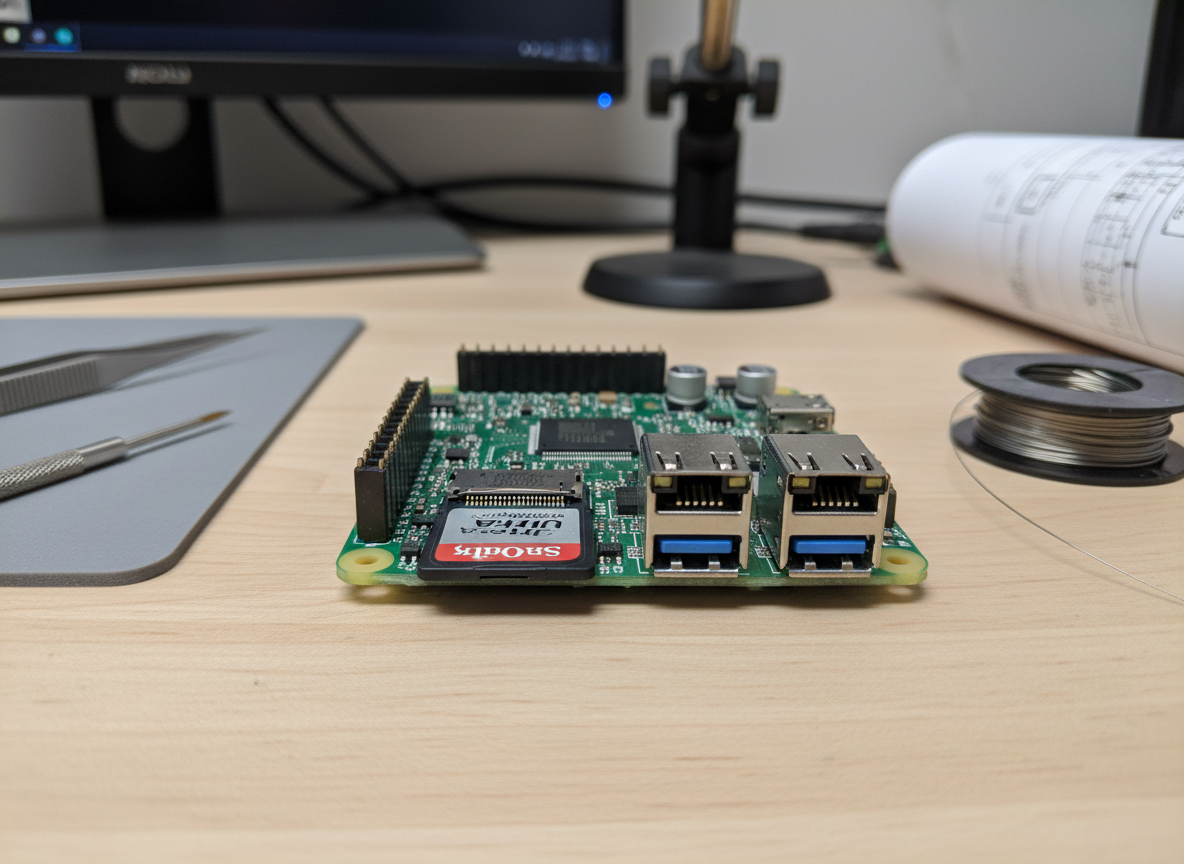
First, we recommend using the Raspberry Pi Imager to flash Raspberry Pi OS (64-bit) onto your microSD card. For a cleaner setup, many makers choose “headless mode,” which allows you to control the Pi from your main laptop using SSH (Secure Shell) access. This means you don’t need an extra keyboard and mouse plugged into the mirror once it’s on the wall.
Once your Pi is up and running, you’ll use the terminal to install Node.js and npm, which are required for MagicMirror². A single command script (often provided on the official MagicMirror² documentation) can handle the entire installation for you. For a step-by-step walkthrough of the terminal commands, see our setting-up-your-smart-mirror-a-complete-guide.
Automating Your Mirror with PM2
The last thing you want is to have to plug in a keyboard every time your power goes out. We use a process manager called PM2 to make the mirror start automatically as soon as the Raspberry Pi boots up.
PM2 keeps the MagicMirror² process running in the background. If the software crashes, PM2 will automatically restart it. It’s a “set it and forget it” solution that turns your DIY project into a professional-grade appliance. Check out our smart-mirror-program-complete-guide to learn the specific PM2 commands.
Physical Assembly and Customization
This is where the woodworking and “DIY” skills shine. To build a sturdy frame, many makers use 3/4″ plywood or repurposed picture frames.
A few best practices for assembly:
- Pocket Holes: Use a pocket hole jig for strong, hidden wood connections.
- Black Paint: Paint the inside of your frame matte black. This prevents light from the monitor’s backlighting from leaking out the sides, which would ruin the mirror effect.
- VHB Tape: Use Very High Bond (VHB) tape or heavy-duty duct tape to secure the electronics to the back of the monitor.
- Nylon Webbing: For heavy monitors, securing them with nylon webbing and grommets ensures they won’t slip out of the frame.
For a deep dive into the carpentry side, our diy-smart-mirror-a-step-by-step-guide has all the measurements you’ll need.
Customizing the config.js File
The config.js file is the heart of your mirror’s personality. This is where you decide which modules to show and where to put them. The screen is divided into regions like top_bar, bottom_left, middle_center, and top_right.
If you want the weather, you’ll need an API key from a provider like OpenWeatherMap. If you want your calendar, you’ll paste your iCal link. We recommend always keeping a backup of your config.js file before making changes—one missing comma can prevent the whole mirror from starting! You can find more layout tips at building-a-smart-mirror-with-raspberry-pi.
Advanced Modules for Your Raspberry Pi Smart Mirror Project
Once the basics are working, you can add “smart” features that make the mirror truly interactive:
- Voice Control: Using Picovoice Rhino, you can add privacy-focused, on-device voice recognition. You can tell your mirror to “show the news” or “play music” without sending your data to the cloud.
- Facial Recognition: By adding a Raspberry Pi Camera Module and OpenCV, the mirror can recognize who is standing in front of it and show a personalized greeting or that specific person’s calendar.
- ChatGPT Integration: Some makers have even integrated AI to provide daily motivation or answer questions through the mirror interface.
- Spotify: Modules like
MMM-OnSpotifyshow what you are currently listening to, complete with album art shining through the glass.
Frequently Asked Questions about Smart Mirrors
How much does a Raspberry Pi smart mirror cost?
The cost varies wildly based on your choices. If you use an old monitor you already own and mirror film, you could build one for under $100. If you buy a brand-new 4K monitor, professional two-way glass, and a custom hardwood frame, you might spend $500 or more. For those looking for alternatives, we have a guide on how-to-build-a-smart-mirror-without-raspberry-pi which can sometimes be cheaper.
Can I put a smart mirror in a bathroom?
Yes, but you must be careful. Humidity and electronics are not friends. Ensure your frame has plenty of ventilation to prevent condensation from building up inside. Some builders use a small 5V fan to keep air moving. Also, consider that mirror film can sometimes peel in high humidity, so glass is a better choice for bathrooms.
Which Raspberry Pi model is best for this project?
For most people, the Raspberry Pi 4 (2GB RAM) is the best choice because it handles the modern web technologies used in MagicMirror² very smoothly. However, if you are building a “super-slim” mirror, the Raspberry Pi 3A+ is much thinner and easier to hide.
Conclusion
Building a raspberry pi smart mirror project is one of the most rewarding DIY experiences you can have. It combines carpentry, coding, and physics into a functional piece of art that actually makes your life easier. Whether you want a simple clock or an AI-powered assistant that recognizes your face, the MagicMirror² community provides all the tools you need to succeed.
At Foco Finanças, we believe in the power of DIY innovation to transform your home. This project is just the beginning of what you can achieve with a little bit of patience and a Raspberry Pi.
Ready to start your next build? Explore more hardware projects on our site and join the community of makers today!
