
Understanding the Smart Lighting Magic Mirror
When we talk about a smart lighting magic mirror, we are referring to a sophisticated evolution of the classic DIY “MagicMirror²” project. While a traditional smart mirror typically consists of a two-way mirror with an LCD monitor behind it to show the time and weather, a lighting-integrated version adds a functional layer of illumination. The open-source community behind MagicMirror² has grown significantly since its inception, allowing for thousands of third-party modules that can be integrated into your smart lighting magic mirror setup.
The magic happens through the physics of the glass. A two-way mirror (often with a 37% reflective and 63% transparent ratio) allows the light from a high-brightness display—ideally around 500 nits—to pass through the glass while still providing a clear reflection of your face. When selecting glass, the “VLT” (Visible Light Transmission) is crucial. A 12% VLT might look better as a mirror but requires a much brighter monitor, whereas a 30% VLT is the sweet spot for most home DIYers. By integrating smart LEDs, we move beyond simple data display into atmospheric control.
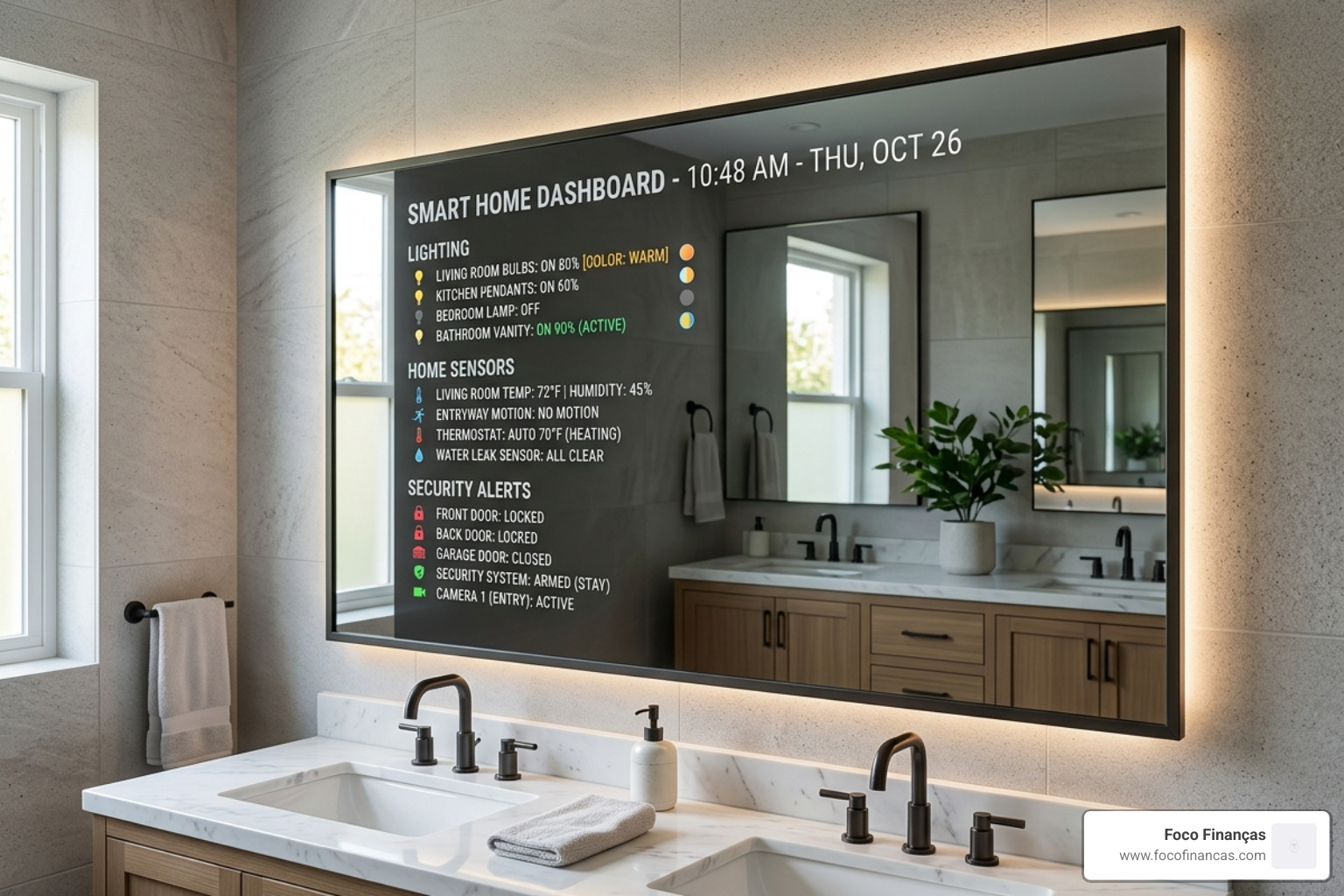
These mirrors often feature ambient backlighting or front-facing “task lighting” for grooming. Unlike a standard “lighted mirror” found in hardware stores, these are connected. This means the lighting can change color temperature based on the time of day or even flash red if your security system detects an open door. For more on the basics, check out our guide on smart mirror with smart lights.
| Feature | Standard Smart Mirror | Smart Lighting Magic Mirror |
|---|---|---|
| Display | Time, Weather, Calendar | Full Smart Home Dashboard |
| Lighting | None or Basic Toggle | Dimmable, RGB, Smart Integrated |
| Control | Passive (Display Only) | Voice, App, and Automation |
| Energy | Standard LCD Draw | High-Efficiency LED (up to 70% savings) |
| Customization | Software Modules | Hardware + Software Light Scenes |
Key Features of Smart Lighting Integration
The real power of a smart lighting magic mirror lies in its ability to talk to the rest of your home. We don’t just want a mirror that turns on; we want a mirror that knows the state of every bulb in the house. With the emergence of the Matter protocol, the interoperability of these mirrors is set to increase. Matter allows devices from Apple, Google, and Amazon to work together locally without relying on the cloud, which is vital for the low-latency response times needed when your mirror lighting reacts to a motion sensor.
Integration typically happens through well-known ecosystems:
- Philips Hue: The gold standard for color accuracy and API reliability.
- Aqara/Xiaomi: Excellent for Zigbee-based sensors that can trigger mirror lighting when you enter the room.
- eWeLink/Sonoff: A budget-friendly way to add smart switching to the mirror’s internal power supply.
To truly up your smart mirror game with smart lights integration, you need a way to visualize these devices. Imagine brushing your teeth and seeing a small icon on the mirror glass indicating that the garage light was left on. This is achieved by bridging the mirror’s software with your smart home hub.
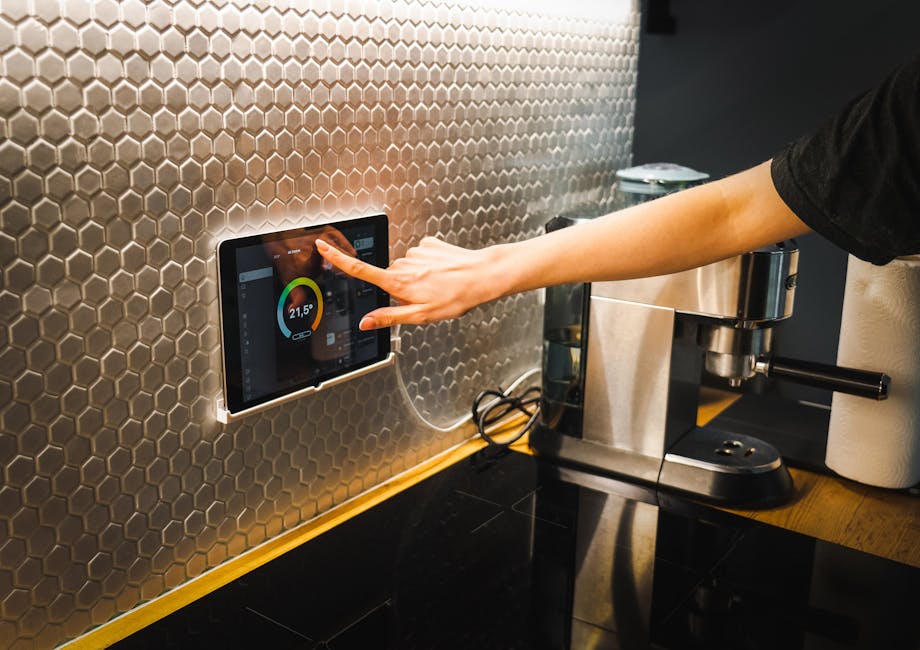
Controlling Smart Lighting Magic Mirror via Home Assistant
For the DIY enthusiast, Home Assistant is the “brain” that makes the magic happen. Because smart home brands often use proprietary APIs (the “language” devices speak), it can be hard to get a Hue bulb and an Aqara sensor to show up on the same screen.
By using the MMM-HomeAssistant-sensors module on the MagicMirror² platform, we can pull real-time data from Home Assistant. This bypasses API fragmentation. Instead of the mirror talking to ten different apps, it talks to one hub. This allows for:
- Real-time status: See if the porch light is on or off.
- Visual Alerts: The mirror’s edge lighting can pulse if the doorbell rings.
- Unified Control: Using a touchscreen mirror (like the Soulaca 27″ or iView 65″), you can actually toggle lights directly on the glass.
Enhancing User Experience with Smart Lighting Magic Mirror
Why settle for one shade of white? Modern smart mirrors support over 8,000 variations of light. We can adjust the color temperature from a warm 2700K (perfect for a relaxing evening bath) to a crisp 6000K (ideal for applying makeup or shaving).
Beyond aesthetics, there is the “cool factor.” Some advanced setups use edge-lit etched acrylic to display “glowing secret messages” that appear to float in the glass when motion is detected. Statistics show that switching to these integrated LED systems can result in 70% energy savings compared to traditional incandescent bathroom fixtures, all while providing a more personalized ambiance.
How to Build a DIY Smart Lighting Magic Mirror
Building your own smart lighting magic mirror is a rewarding weekend project. To ensure the display is visible through the reflective coating, we recommend an LCD with at least 500-nit brightness.
The Hardware Checklist:
- Controller: A Raspberry Pi (Model 4 or 5 is best for smooth animations).
- Display: A slim LED monitor stripped of its plastic bezel.
- Glass: A 2-way acrylic or glass sheet cut to size.
- Lighting: WLED-compatible addressable LED strips (like WS2812B).
- Sensors: A PIR (Passive Infrared) motion sensor to wake the screen.
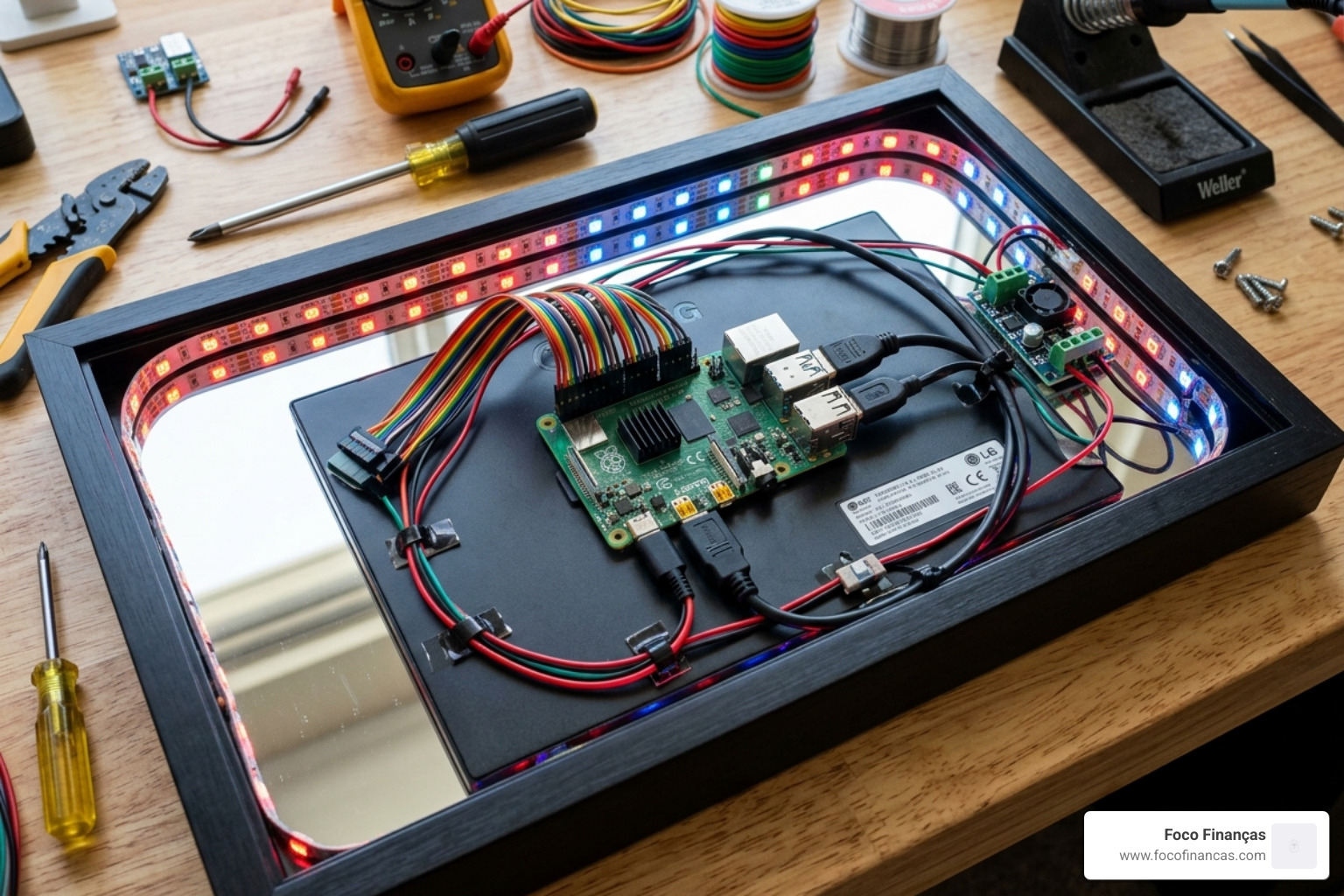
Software plays a huge role here. We love using WLED, an open-source web server for controlling LEDs. It integrates perfectly with Home Assistant and allows you to create segments—meaning the top of your mirror could glow blue for weather while the bottom glows orange for a calendar alert. For a deeper dive into the technical side, see our article on smart mirror with smart lights 2.
Step-by-Step Installation for Smart Lighting Magic Mirror
- The Frame: Build a “shadow box” frame. It needs to be deep enough (usually 2-3 inches) to house the monitor, the Raspberry Pi, and the power bricks.
- LED Mounting: Mount your LED strips facing outward (for a halo effect) or inward toward an etched acrylic layer (for glowing messages). Use PVC tape to block light from leaking into the LCD area, which would wash out the screen.
- Power Management: Use a high-quality 5V or 12V power supply. We often use a “step-down” converter so one plug powers both the Pi and the lights.
- Module Configuration: Install MagicMirror² and add your chosen modules. Use custom CSS to position your lighting status icons so they don’t overlap with your reflection.
- The Reveal: Clean the glass thoroughly! Any fingerprint on the inside of the mirror will be magnified once the LEDs turn on.
Advanced Functionality: Motion and Voice Control
The “Magic” in magic mirror comes from interaction. Nobody wants to faff with a remote while their hands are wet in the bathroom.
Motion Detection: Using a PIR sensor, the mirror can stay completely dark (looking like a normal mirror) until you walk within 20 feet. This saves power and extends the life of your LCD.
Voice Control: Many commercial mirrors, such as the iView or Artforma models, come with Google Assistant built-in. This allows for hands-free grooming. You can say, “Hey Google, dim the mirror lights to 20%,” or “Show me my calendar.”
For bathroom installations, ensure your hardware is protected. Look for an IP65 waterproof rating for the electronics and a built-in demister (heating mat). The integration of a demister pad is often overlooked. These pads are essentially thin heating elements that stick to the back of the mirror glass. When connected to a smart relay like a Sonoff Basic, you can automate the defogging process to start 5 minutes before your scheduled morning alarm, ensuring a crystal-clear view the moment you step out of the shower even in the steamiest conditions.
Frequently Asked Questions about Smart Mirrors
Can I use smart lighting in a bathroom mirror?
Yes, but safety is paramount. Any mirror used in a “wet zone” should ideally have an IP44 or IP65 rating. This ensures the PCBA (circuit board) and speakers are treated to resist moisture. Always ensure the power supply is housed in a waterproof junction box or located outside the bathroom.
Which software is best for lighting control?
For DIYers, the combination of MagicMirror² (for the display) and WLED (for the lights) is unbeatable. If you prefer a “plug-and-play” experience, look for mirrors running Android 11, which allows you to install apps like Philips Hue or Tuya directly from the Google Play Store.
How much energy does a lighted mirror use?
Modern LED strips are incredibly efficient. A typical setup uses about 9.6W per meter. With adaptive brightness—where the mirror dims late at night—the daily cost is negligible. Most LEDs are rated for 15,000 to 45,000 hours of life, meaning they will likely outlast the monitor behind them!
How do I clean a smart mirror?
Cleaning a smart lighting magic mirror requires care. Because the two-way coating can be sensitive, avoid ammonia-based cleaners. Instead, use a microfiber cloth and a 50/50 mix of water and isopropyl alcohol. Never spray liquid directly onto the glass; spray the cloth first to prevent moisture from seeping into the internal electronics.
Conclusion
The smart lighting magic mirror is the ultimate intersection of form and function. At Foco Finanças, we believe that home automation should be invisible yet indispensable. By integrating smart lighting into your mirror, you aren’t just adding a gadget; you’re evolving your morning routine into a seamless, data-driven experience.
Whether you choose to build a custom Raspberry Pi rig or invest in a luxury 65-inch Android-powered display, the ability to control your home’s ambiance from your reflection is a true “future is here” moment. Ready to upgrade? It’s time to transform your home with smart technology and see yourself in a whole new light.
