
Understanding the Arduino’s Role in Your Smart Mirror
When we talk about a smart mirror, many people immediately think of a Raspberry Pi. While the Pi is a powerful mini-computer capable of running a full operating system, the arduino magic mirror occupies a unique and often more efficient niche. In our experience, using an Arduino as a dedicated microcontroller offers several distinct advantages for home automation enthusiasts.
First, there is the matter of power efficiency. An Arduino is designed for “always-on” operation. Unlike a full computer that needs a complex shutdown sequence and draws significant power even when idling, an Arduino consumes minimal electricity while waiting for a trigger. This makes it the perfect candidate for a mirror that stays plugged in 24/7 in your hallway or bathroom.
Second, Arduino excels at real-time sensor processing. If you want your mirror to react the very instant you step in front of it, Arduino’s lack of an overhead operating system means there is no “lag.” It simply waits for a high signal from a sensor and executes the code immediately. This responsiveness is what creates that truly “magical” feel. As seen on the Smart Mirror Project Hub, even a simple Arduino Nano can handle the logic for a touchless LED system with ease.
If you are wondering mirror mirror on the wall who has the smartest dashboard of all, the answer often lies in how well the hardware integrates with the user. By offloading sensor tasks to an Arduino, you ensure that your mirror remains snappy and reliable.
Why Choose an Arduino Magic Mirror for Your Build?
We often recommend the arduino magic mirror route for builders who prioritize hardware reliability and low cost. An Arduino Uno or Nano costs a fraction of a Raspberry Pi, yet it provides all the pins necessary to control lights, relays, and environmental sensors.
Furthermore, the “instant-on” capability cannot be overstated. When power is applied, the Arduino is running its code in less than a second. There is no waiting for a Linux kernel to boot up. For those looking for cutting-edge components, the Arduino Uno Q and Modulinos (plug-and-play sensing modules) allow for advanced environmental sensing—like humidity and temperature—without a breadboard full of tangled wires. This modular approach makes it much harder to make a mistake that might “break the glass” (or your spirit) during the assembly phase.
Essential Hardware and Tools for Your Build
To get started, we need to gather our “ingredients.” A successful arduino magic mirror relies on a sandwich of different materials that work together to create the illusion.
- The Brain: An Arduino Nano R3 or Uno. The Nano is great for tight spaces behind a frame.
- The Mirror: Two-way acrylic or glass.
- The Light Source: A monitor (for data) or NeoPixel LED strips (for glowing effects).
- The Controller: If using an old laptop screen, you will need an HDMI controller board specific to that screen’s model number.
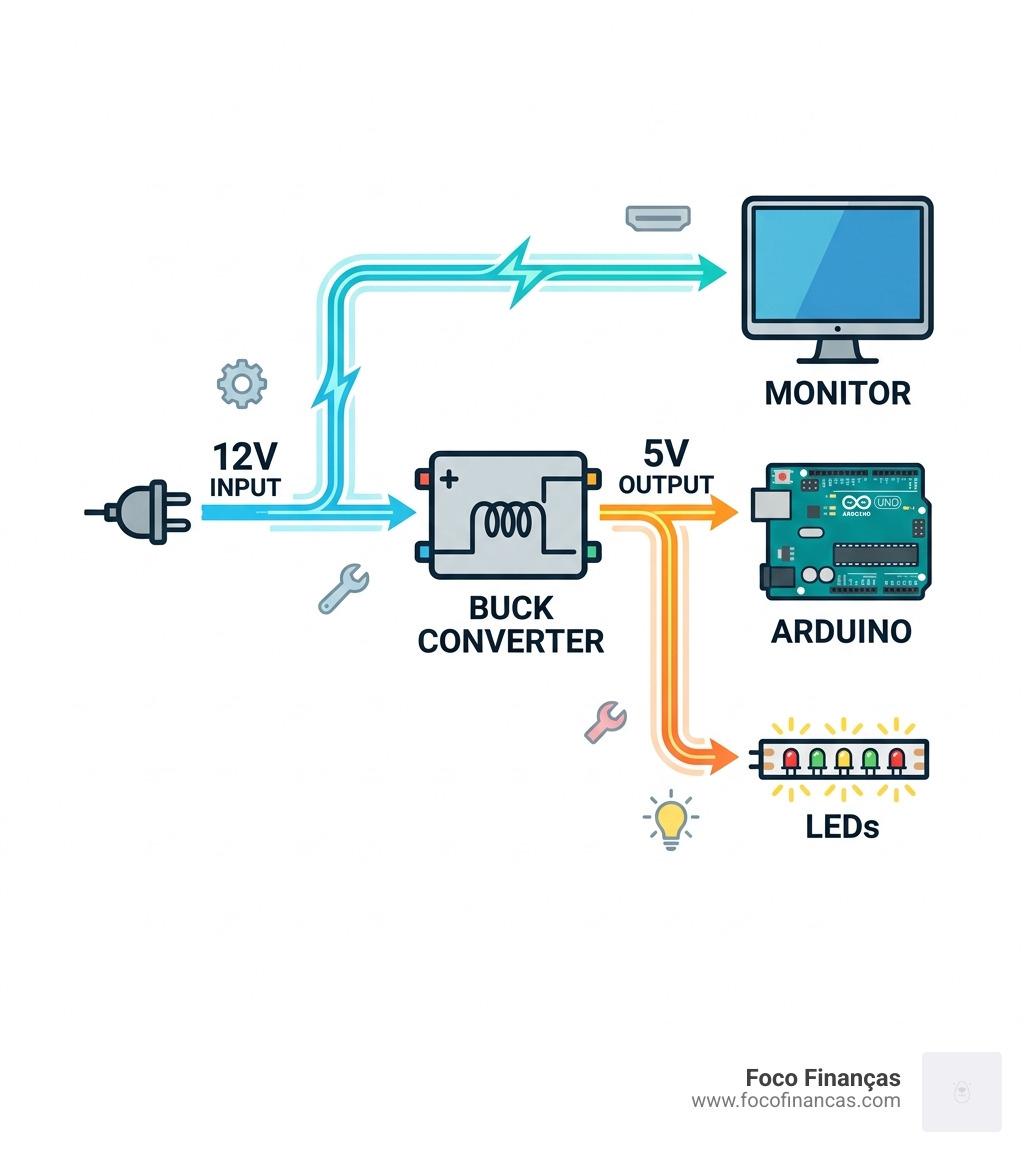
- The Power: A reliable 5V or 12V power supply, depending on your LED strip requirements.

Choosing Your Mirror Material: Glass vs. Acrylic
One of the biggest decisions you’ll make is choosing between glass and acrylic for your two-way mirror.
| Feature | Two-Way Glass | Two-Way Acrylic |
|---|---|---|
| Durability | Fragile, can shatter | Impact resistant, flexible |
| Clarity | Very high, no distortion | Can have a “funhouse” effect if not flat |
| Weight | Heavy | Lightweight |
| Workability | Hard to cut at home | Easy to cut or drill |
| Cost | Expensive | Budget-friendly |
For most DIYers building their first arduino magic mirror, we suggest starting with acrylic. It is much more forgiving if you need to drill holes for sensors or if you accidentally drop it during the “hack job” phase of woodworking.
Selecting the Right Sensors for an Arduino Magic Mirror
Sensors are what turn a “dumb” mirror into a “magic” one. Here are the most common types we see integrated with Arduino:
- HC-SR04 Ultrasonic Sensor: This measures distance by sending out sound waves. It is perfect for “touchless” control. For instance, if you stand within 30cm of the mirror, the Arduino can trigger the lights to turn on.
- PIR Motion Sensor: These detect infrared heat signatures. A PIR sensor can detect a person up to 20 feet away, making it ideal for waking up the mirror’s display as soon as you enter the room.
- DHT11/DHT22: These sensors measure temperature and humidity. They are fantastic for bathroom mirrors where you want to keep an eye on the steam levels or just know the morning temperature while brushing your teeth.
- NeoPixel LED Strips (WS2812B): While technically an output, these are essential. They allow for individual color control of every single LED, enabling “fire” flickers, rainbow waves, or soft morning glows.
Step-by-Step Assembly and Wiring Guide
Now, let’s get our hands dirty. Building the frame is often the most time-consuming part, but it is also where you can add the most character to your project.
Step 1: Prepare the Display If you are using a monitor, carefully remove it from its plastic casing to save space. Be careful with the ribbon cables! Use duct tape or padding to secure any loose internal components.
Step 2: Build the Wooden Frame You will want to create a “shadow box” frame. Many makers use 2x4s for the inner support and thinner, decorative wood for the outer visible frame. Ensure you notch the wood so the mirror sits flush against the front. A common mistake is forgetting ventilation; we recommend using rubber grommets or a “holey” back panel to allow heat from the monitor and Arduino to escape.
Step 3: Mounting the Electronics Place your two-way mirror into the frame, followed by the monitor or the etched acrylic layer. Secure these with clear caulk or wooden ledges. Mount your Arduino and sensors in the gaps.
For more tips on the physical look, check out DIY: Magic Mirror – Make: for inspiration on themed frames. Once the hardware is set, you can start thinking about how to customize magicmirror ui to match your home’s aesthetic.
Programming Your Arduino Magic Mirror with Firmata and WLED
The software side of an arduino magic mirror can be as simple or as complex as you like.
If you are using the Arduino to control LEDs via motion, WLED is a game-changer. It is a popular open-source web server for controlling NeoPixels. You can set up “segments” so that only specific parts of the mirror light up—perhaps to highlight an etched quote or a “secret message” hidden behind the glass.
For those integrating the Arduino with a PC or Raspberry Pi to act as a sensor hub, the Firmata protocol is your best friend. Firmata allows the “host” computer to talk to the Arduino’s pins as if they were its own. This is how many advanced mirrors handle complex tasks: the Pi runs the dashboard, while the Arduino handles the “grunt work” of reading sensors.
To dive deeper into the code, our magic mirror coding guide provides the snippets you need to get your first “Hello World” glowing on the glass.
Advanced Customization: Photobooths and Home Automation
Once the basics are down, the arduino magic mirror can become a multifunctional hub. We have seen incredible projects that turn a simple mirror into a party centerpiece.
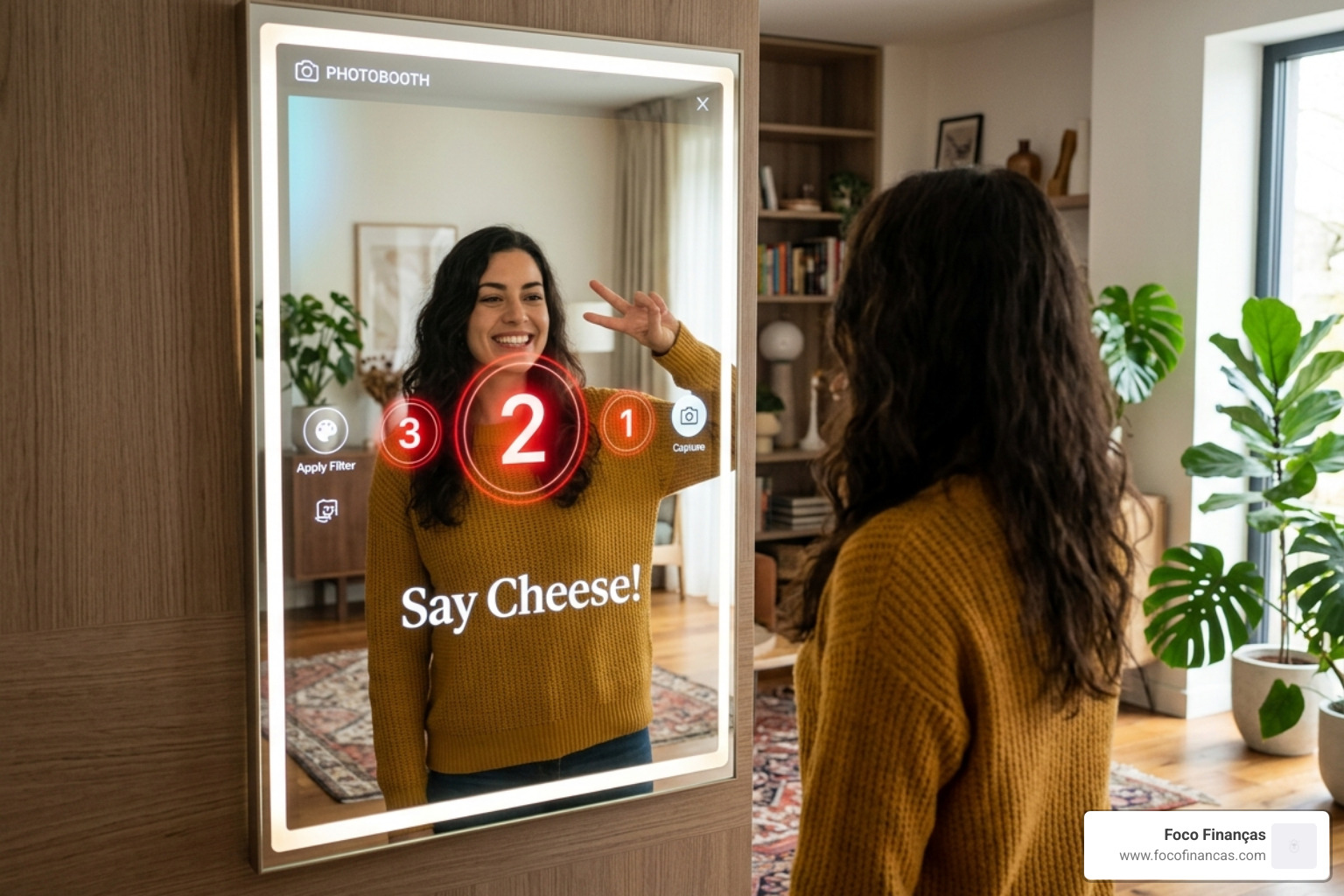
The Photobooth Mode By adding a camera and a physical button (or a touchless ultrasonic trigger), your Arduino can signal a connected PC to take a photo and display it instantly on the mirror’s screen. This is a massive hit at weddings and Halloween parties.
Home Automation Integration Arduino can interface with older home automation standards like X-10 using a “Firecracker” dongle. This allows your mirror to actually turn off the hallway lights or start a coffee maker when it detects you’ve walked into the bathroom in the morning.
Personalized Characters Some builders use the Arduino to trigger specific videos. Imagine a “Magic Mirror” character that “disses you like a New York cabbie” or a friendly princess that gives your kids a morning pep talk. By using a serial server middleware, the Arduino can tell a Flash or HTML5 application exactly which video file to play based on which sensor was tripped.
You can even integrate a breathalyzer (using an MQ-3 sensor). If a guest blows into a hidden vent, the mirror could display their BAC and a playful warning if they’ve had one too many. The possibilities for how you customize magicmirror ui 2 are limited only by your imagination and your sensor budget.
Frequently Asked Questions about Arduino Magic Mirrors
Building a smart mirror often brings up the same set of hurdles. We’ve compiled the most common questions from our community to help you navigate the process.
How much does a basic Arduino magic mirror cost?
The cost of an arduino magic mirror is highly variable, but here is a realistic breakdown for a mid-range build:
- Arduino Nano/Uno: $10 – $20
- Two-Way Acrylic (12×24″): $30 – $50
- Used HDMI Monitor: $20 – $50 (Check thrift stores!)
- Sensors & LEDs: $15 – $30
- Wood & Hardware: $20 – $40
Total: $95 to $190. You can certainly go cheaper by using a simple LED-only setup without a monitor, which can bring the cost down to about $50. If you’re looking to save, check out customize magicmirror ui 3 for ways to use open-source assets rather than paid software.
Can Arduino enhance a smart mirror’s display or dashboard?
Absolutely. While the Arduino itself isn’t powerful enough to render a high-definition web dashboard, it acts as the perfect “bridge.” By using serial communication (connecting the Arduino to a Raspberry Pi or PC via USB), the Arduino can send sensor data—like “User is 20cm away”—and the dashboard can react by changing the font size, showing more detailed weather, or playing a greeting animation.
What are the power requirements for safe operation?
Safety first! A monitor and a long strip of LEDs can pull a significant amount of current.
- Use a Relay: If you are controlling a high-power LED strip or the monitor’s power directly, use a relay module. This keeps the high voltage away from your delicate Arduino.
- USB-C PD: Modern builds often use a USB-C Power Delivery hub to provide a single cable solution for both the display and the microcontroller.
- Heat Dissipation: Electronics inside a sealed wooden box will get hot. We cannot stress this enough: drill ventilation holes. Heat is the number one killer of DIY smart mirrors.
- Flickering LEDs: If your LEDs flicker, it’s usually a sign they aren’t getting enough “juice.” Ensure your power supply can handle the total amperage (usually 60mA per LED at full white brightness).
Conclusion
Building an arduino magic mirror is one of the most rewarding “weekend warrior” projects you can undertake. It combines woodworking, electronics, and coding into a single piece of functional art. Whether you want a simple motion-activated vanity light or a full-blown interactive photobooth, the Arduino provides the reliable, low-cost foundation you need.
At Foco Finanças, we love seeing how technology can enhance the home environment without requiring a degree in computer science. By following this guide, you’ve moved from “how does it work?” to having a clear roadmap for your own build.
Remember to take your time with the frame, test your wiring before you glue anything down, and don’t be afraid to experiment with different magic mirror dashboard templates to make your hallway pop. Happy building, and may your mirror always tell you exactly what you need to hear!
